 English
 Русский

Image: flaticon.com/authors/icongeek26
HDD (Hard Disk Drive) is a data storage device used in computers, servers, data centers, and storage systems. HDDs are designed to store large amounts of information, including operating systems, applications, documents, media files, and databases.
Hard disk drives were first introduced in 1956 by IBM. The earliest models were enormous—roughly the size of a refrigerator—and could store only a few megabytes of data. Over time, the technology evolved, and HDDs became smaller, faster, and more capacious. By the 1980s, hard drives were widely adopted as personal computers began to spread into offices and homes.
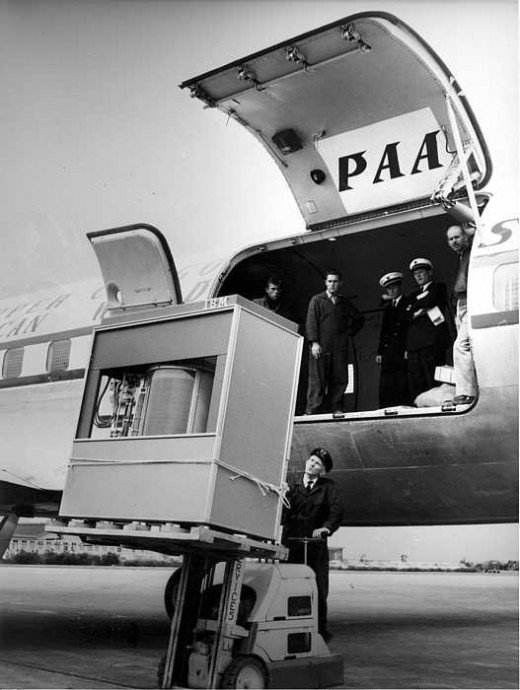
The world's first hard drive, the IBM 305 RAMAC, on a forklift near the aircraft it was transported on. Image: habr.com
Advantages of HDD
-
One of the main advantages of HDDs is their large storage capacity. They can store vast amounts of data at a relatively low cost per gigabyte compared to solid-state drives (SSDs).
-
HDDs are also known for their durability when used under proper conditions. Many drives are designed for continuous operation and can run reliably for years.
-
Another important benefit is their low price. Compared to SSDs and other storage technologies, hard disk drives remain significantly cheaper to produce and purchase, especially at higher capacities.
Disadvantages of HDD
-
The main limitation of HDDs is their lower speed. Because they rely on spinning platters and moving read/write heads, their data transfer rates are much slower than those of SSDs. In practice, typical HDD throughput usually stays well below that of modern SSDs.
-
HDDs also generate noise and vibration during operation, as the mechanical components are constantly moving.
-
In addition, they are vulnerable to physical damage. Drops, shocks, or strong vibrations can damage the internal mechanisms and lead to data loss or drive failure.
Hard Drive Interfaces
HDDs can be connected to computers and storage systems using different interfaces. The most common ones include:
-
SATA (Serial ATA), the most widely used interface for desktop and laptop hard drives;
-
SAS (Serial Attached SCSI), mainly used in servers and enterprise storage systems;
-
USB (Universal Serial Bus), commonly used for connecting external hard drives.
Types of HDD
There are several categories of HDDs designed for different use cases and workloads.
Consumer HDDs
These drives are intended for everyday users. They are optimized for storing files, running applications, and gaming, and are typically installed in desktop computers and laptops.
Examples include:
-
3.5-inch HDDs, used in desktop PCs, offering large capacity at a low cost;
-
2.5-inch HDDs, commonly found in laptops and portable systems, smaller and more energy-efficient but usually with lower capacity than 3.5-inch models.
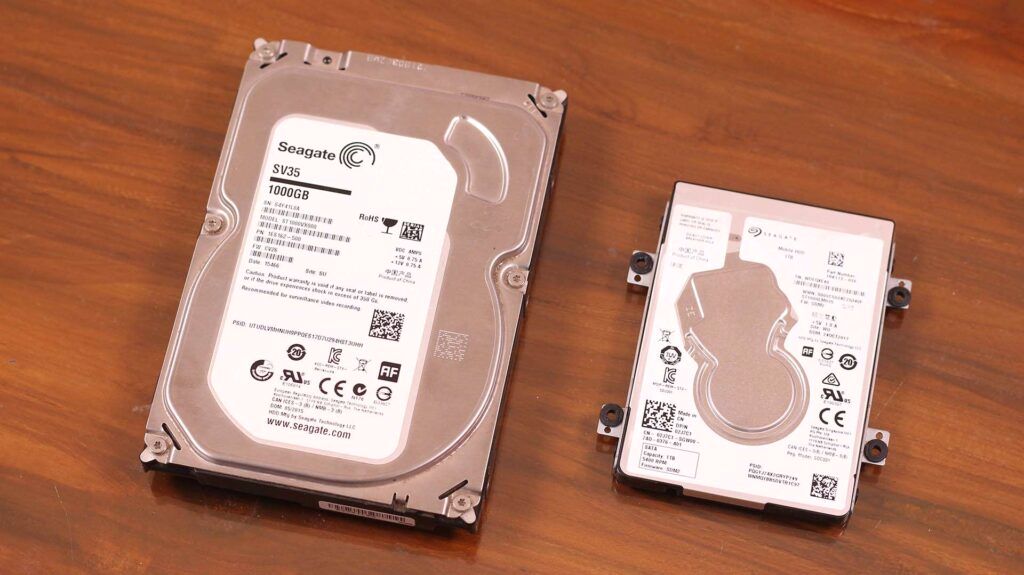
A 3.5" HDD and a 2.5" HDD. Image: icatalog.pro
Server and Enterprise HDDs
These hard drives are built for servers and data centers, where reliability, performance, and long operating life are critical.
Examples include:
-
NAS HDDs (Network Attached Storage), optimized for use in network storage systems and designed to handle continuous operation and high workloads;
-
Enterprise HDDs, designed for servers and corporate environments, offering higher performance, durability, and longer service life.
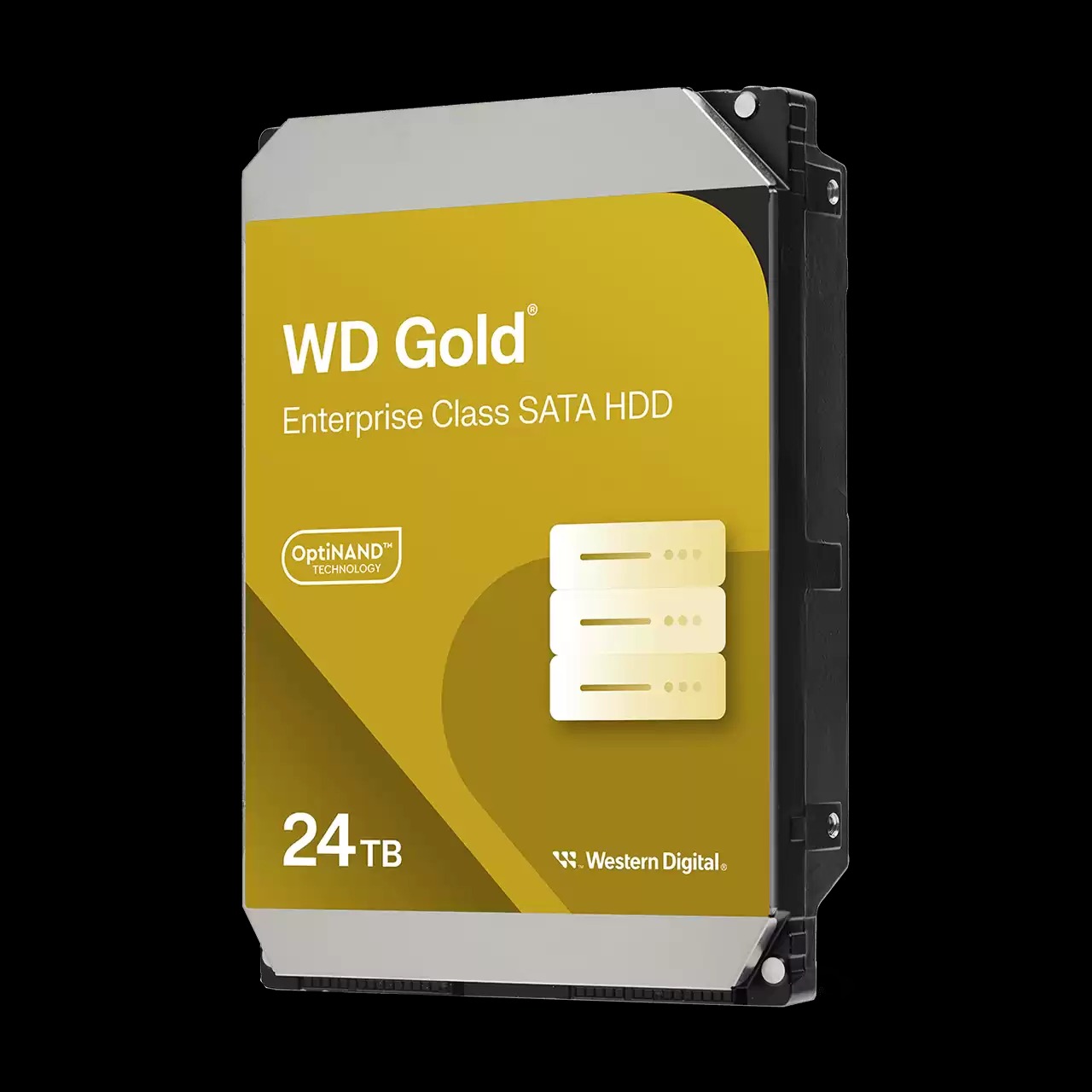
WD Gold Enterprise-Class HDD for data centers. Image: westerndigital.com
External HDDs
These drives are used for data storage and convenient file transfer between devices. They connect to computers and other hardware through USB or similar external interfaces.
Examples include:
-
Portable external HDDs, compact and easy to carry, usually based on the 2.5-inch form factor;
-
Desktop external HDDs, larger and more capacious, often requiring an external power supply and typically based on the 3.5-inch form factor.
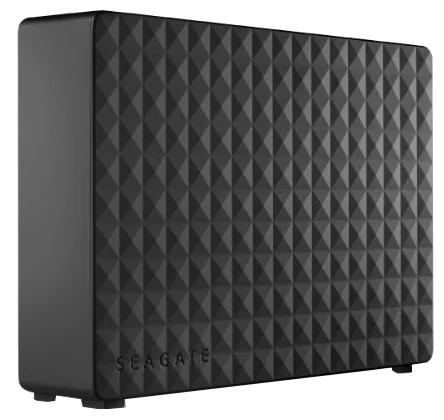
Seagate Expansion External Desktop Hard Drive. Image: forcecom.kz
Each type of HDD is designed for specific tasks and environments, allowing users to choose the most suitable solution for their needs. While HDDs remain widely used—especially in data centers and enterprise storage—the market is gradually shifting toward SSDs due to their higher performance and better reliability.