 English
 Русский
IP-KVM (Keyboard, Video, Mouse over IP) is a technology that allows administrators to remotely control computers and servers over a network using keyboard, video, and mouse input. It provides full console-level access to a machine as if a user were physically present in front of it.
What IP-KVM is used for
IP-KVM is primarily used for remote server and system administration in data centers, offices, and other environments with large amounts of hardware. It allows administrators to manage servers from anywhere in the world, which is especially important when immediate intervention is required.
Standard remote access tools such as RDP, VNC, or SSH only work at the operating system level. This means that Windows or Linux must already be running, and network connectivity must be available. They also cannot access the BIOS, bootloader, or pre-boot environment.
IP-KVM hardware connects directly to the physical keyboard, video, and mouse interfaces of a server via cables or server modules. Because of this, it can interact with the system at the hardware level, including during BIOS setup, firmware updates, and the operating system boot process. A KVM session continues seamlessly as the system switches between BIOS and the operating system, without relying on the target machine’s network stack.
IP-KVM technology emerged in the late 1990s, driven by the rapid growth of data centers and the increasing complexity of IT infrastructures. One of the first commercial IP-KVM solutions was introduced by Raritan in 1997, allowing administrators to control servers remotely over IP networks and significantly simplifying infrastructure management.
Advantages of IP-KVM
-
Remote access is one of its biggest strengths. Unlike traditional local KVM switches, IP-KVM does not require physical presence in the server room, saving time and operational costs.
-
IP-KVM is highly versatile, as it allows multiple devices to be managed from a single web interface or management console.
-
Security is another key benefit. Modern IP-KVM systems support encrypted connections, authentication mechanisms, and access control, making remote management over the internet much safer.
-
Scalability also plays an important role. IP-KVM solutions can be integrated into large enterprise networks and allow administrators to manage dozens or even hundreds of servers from a central location.
Disadvantages of IP-KVM
-
Cost can be a limitation. IP-KVM devices are usually more expensive than traditional local KVM switches, which may be a concern for small businesses or home labs.
-
Configuration and management can be more complex. Deploying and maintaining IP-KVM infrastructure often requires specialized knowledge and trained IT staff.
-
IP-KVM also depends on network quality. If the internet or internal network connection is slow or unstable, users may experience lag, reduced video quality, or connection drops.
Types of IP-KVM devices
IP-KVM solutions can be classified in several ways.
By number of ports
-
Single-port IP-KVM units are designed to connect to one server. They are commonly used in small environments or for individual dedicated servers.
-
Multi-port IP-KVM switches support multiple servers at once, typically ranging from 4 to 64 ports or more, making them suitable for large data centers and enterprise infrastructures.
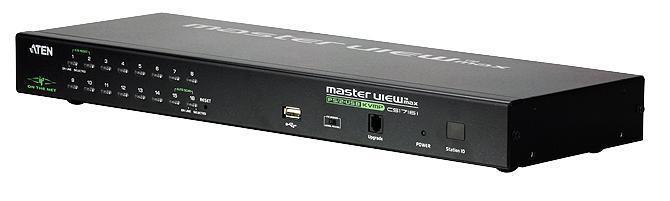
ATEN CS1716i 16-Port IP KVM Switch
By connection method
-
Analog IP-KVM systems connect to servers using traditional interfaces such as PS/2, USB, and VGA, and then transmit the captured signals over IP.
-
Digital IP-KVM systems integrate directly with Ethernet networks and are the most common modern solution, providing convenient remote access over standard IP networks.
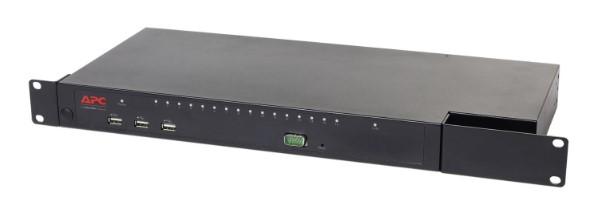
Schneider Electric APC KVM 2G Digital IP KVM Switch
By control model
-
Hardware IP-KVM solutions are physical devices connected to servers. They offer high reliability and full out-of-band access but are usually more expensive.
-
Software-based KVM solutions rely on agents installed on the operating system. They are cheaper and easier to deploy but cannot provide true BIOS-level access and are less reliable in case of system crashes.
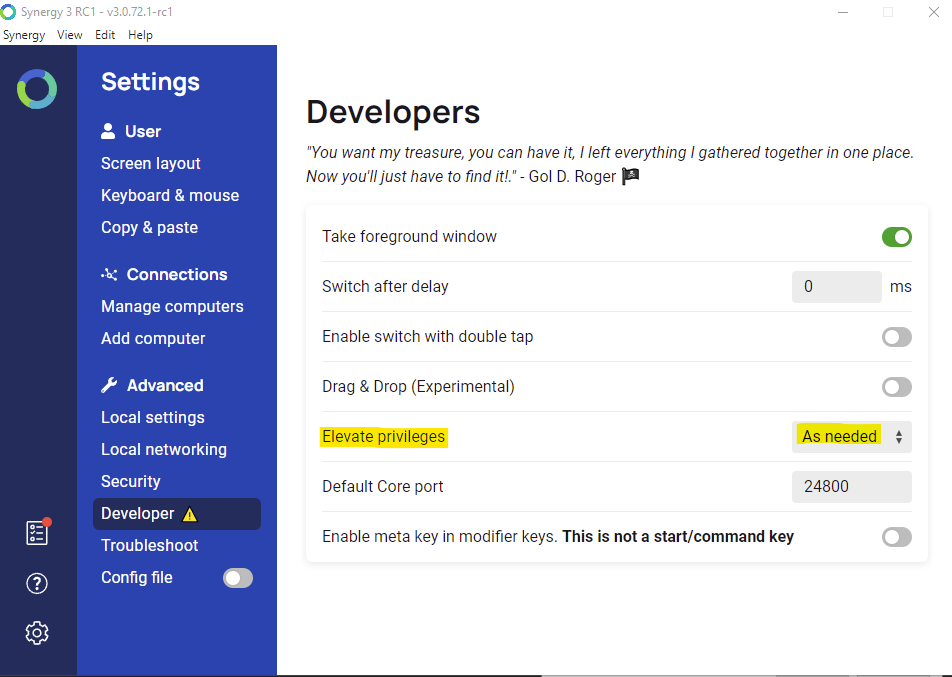
Synergy IP-KVM software interface
By interface type
KVM over IP switches are multi-port devices that allow administrators to connect and manage many servers through a single interface.
KVM over IP extenders are used to extend KVM signals over long distances, enabling remote control of systems located far from the operator.
IP-KVM has become a standard tool in modern data centers and large IT environments. It is widely used for remote server management, troubleshooting, and monitoring, especially in distributed and enterprise-scale infrastructures.