 English
 Русский
IPMI (Intelligent Platform Management Interface) is a technology that enables remote management and monitoring of servers and other computing systems. It allows administrators to control hardware, check system health, and perform critical operations even when the main operating system is not running or has failed. This capability is especially important in data centers, where high availability and fast incident response are essential.
IPMI was introduced in 1998 by a consortium that included Intel, Dell, HP, and NEC. It was initially designed for enterprise servers and later became a global standard for out-of-band server management.
How IPMI works
IPMI is typically implemented through a dedicated controller built into the server’s motherboard, known as the BMC (Baseboard Management Controller). The BMC operates independently of the server’s main CPU and operating system, which means it can continue working even if the system is powered off or has crashed.
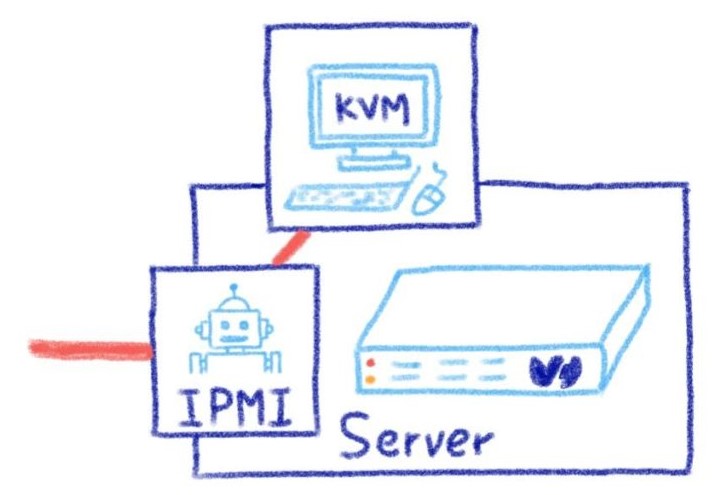
IPMI diagram. Image: blog.ovhcloud.com
The BMC has its own network interface, usually a dedicated Ethernet port, which allows it to connect to the network separately from the server’s main network card. Through this interface, the BMC can receive management commands and send monitoring data.
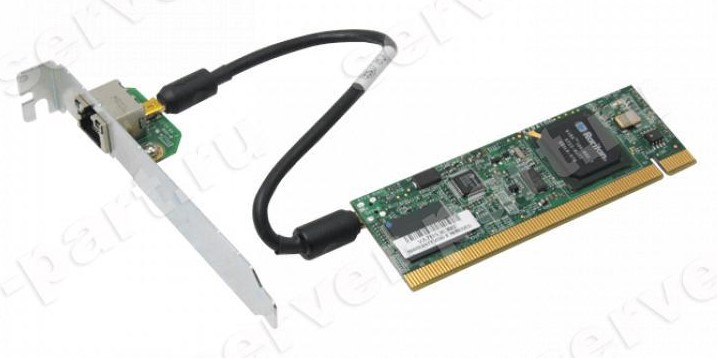
SuperMicro IPMI 2.0 Raritan KIRA100 KVM-Over-LAN Controller
Administrators interact with IPMI via a web-based interface provided by the BMC or through command-line tools. The web interface typically offers access to functions such as:
-
viewing hardware health data (temperature, voltages, fan speeds, and more);
-
power management (turning the server on, off, or rebooting it);
-
remote console access through a KVM (Keyboard, Video, Mouse) interface;
-
alerts and notifications about hardware failures or critical conditions.
When an administrator logs into the IPMI web interface, they see a dashboard with an overview of the server’s current state. From there, they can reboot an unresponsive machine, check sensor readings, or open a remote console to troubleshoot issues at the BIOS or operating system level.
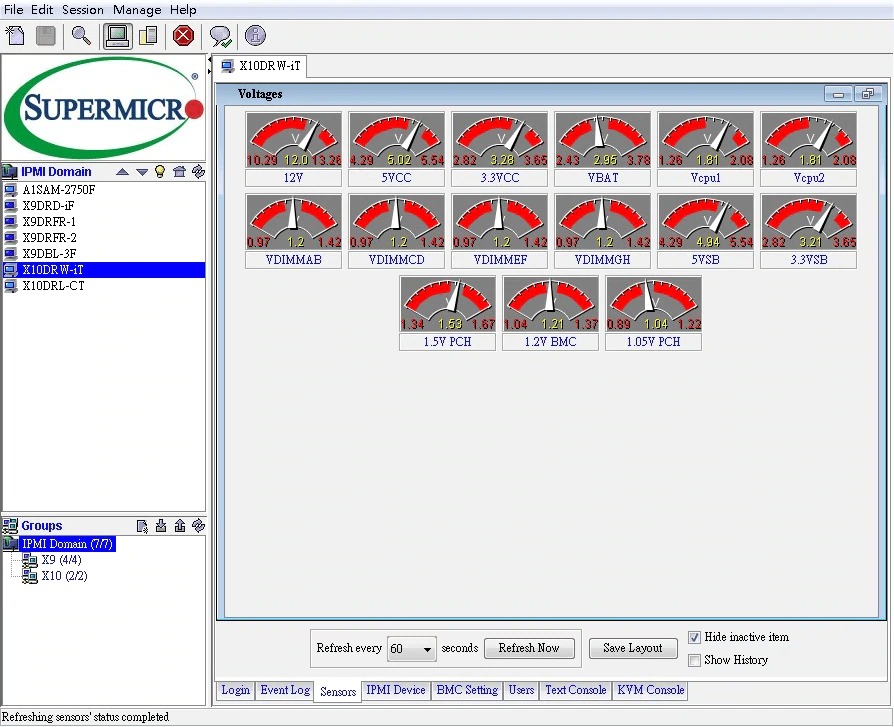
Supermicro IPMIView Console
Advantages of IPMI
-
One of the main benefits of IPMI is true remote management. It allows administrators to control servers from anywhere, without being physically present in the data center.
-
IPMI also provides detailed hardware monitoring. Unlike software-based tools, it can track temperatures, power status, fan operation, and other critical parameters directly at the hardware level.
-
Automation is another advantage. IPMI supports scripting and integration with management systems, reducing the need for manual intervention.
-
Security is also built in. Modern IPMI implementations support authentication, access control, and encrypted connections, making remote management significantly safer than early implementations.
Despite its advantages, IPMI can be complex to configure, especially during initial setup. It is also hardware-dependent and not available on all servers, particularly older or low-end models.
IPMI is widely used in modern data centers and enterprise environments, where reliable out-of-band management is a critical part of infrastructure operations.