 English
 Русский
SSD (Solid State Drive) is a solid-state storage device designed for data storage in computers, laptops, servers, and data centers.
Compared to traditional HDDs, SSDs significantly speed up operating system boot times, application launches, and data processing. In data centers, SSDs deliver high performance and reliability for cloud platforms and enterprise services.
The concept of solid-state memory dates back to the 1950s, but the first commercially successful SSDs appeared in 1991, introduced by SanDisk. Initially, they were used mainly in military and aerospace applications. From the 2000s onward, as prices declined, SSDs became widely adopted in consumer electronics and enterprise infrastructure.
Advantages of SSDs
-
Speed.
SSDs are much faster than traditional hard disk drives (HDDs), providing near-instant system startup and rapid data access. -
Reliability.
Unlike HDDs, SSDs have no moving parts, which reduces the risk of mechanical failure. -
Energy efficiency.
SSDs consume less power, an important factor for mobile devices and large-scale data centers.
Silent operation. With no moving components, SSDs operate almost silently.
Disadvantages of SSDs
-
Higher cost.
SSDs are still more expensive than HDDs, although prices continue to decline. -
Limited write endurance.
Each memory cell in an SSD supports a finite number of write cycles, meaning intensive workloads can shorten the drive’s lifespan. -
Lower maximum capacity.
While SSD capacities continue to grow, they still lag behind HDDs in terms of maximum available storage size.
SSD Connection Methods
SSDs can be connected to systems in several ways, each with its own characteristics and performance profile. Below are the most common options used in personal computers and servers.
-
SATA (Serial ATA).
A widely used interface that connects SSDs to the motherboard in the same way as traditional hard drives. -
NVMe (Non-Volatile Memory Express) via M.2.
A protocol that allows SSDs to connect directly to the PCIe bus, delivering much higher data transfer speeds. -
PCIe (Peripheral Component Interconnect Express).
In this case, SSDs connect directly to PCIe slots on the motherboard, either as expansion cards or in the U.2 form factor. This method provides the highest performance, reaching speeds of 7,000 MB/s and beyond.
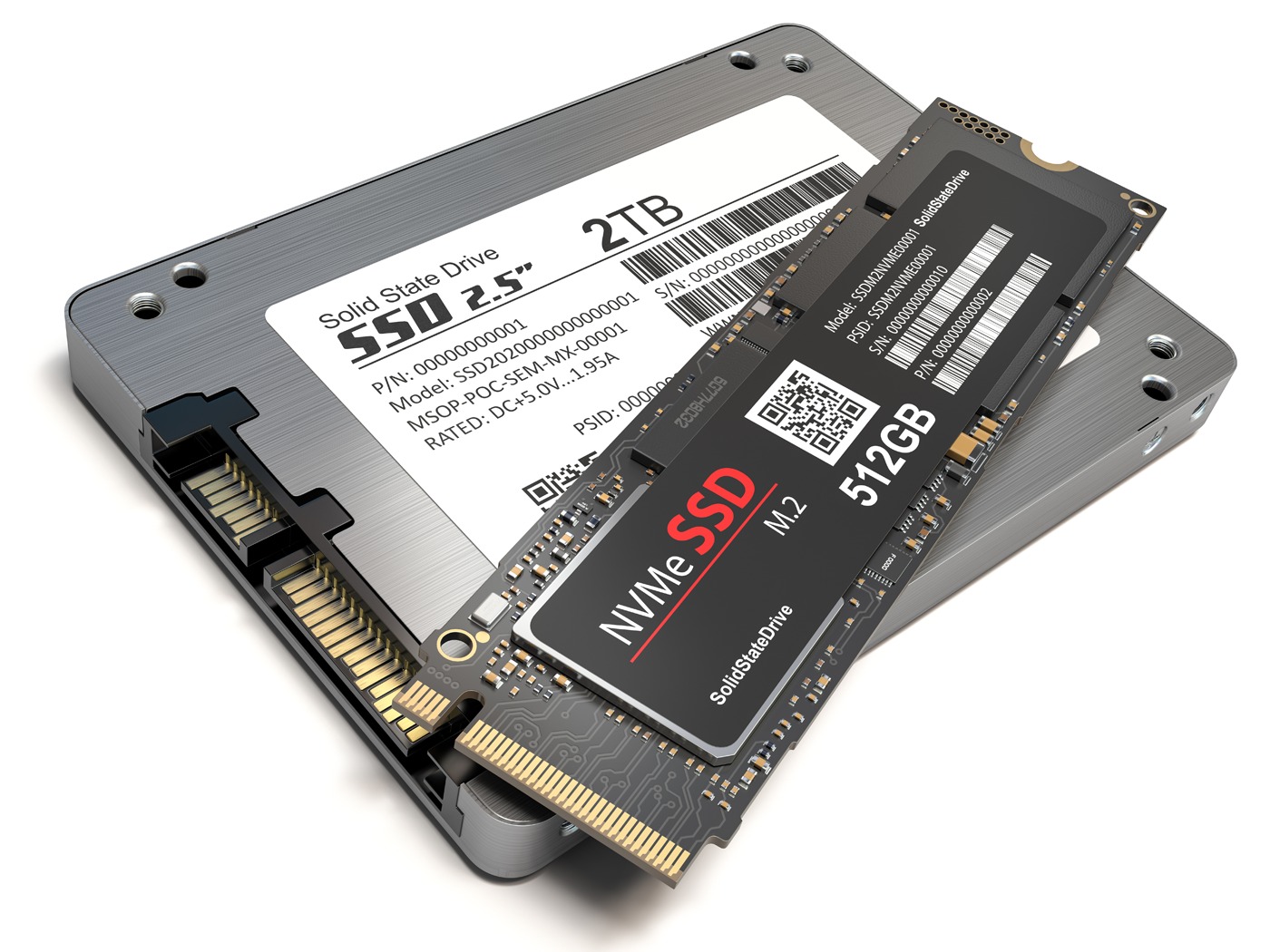
2TB SATA SSD and 512GB NVMe SSD. Image: enterprisestorageforum.com
The choice of SSD connection method depends on specific requirements and budget. SATA SSDs are suitable for mainstream users, NVMe M.2 drives offer a strong balance between price and performance, while PCIe-based SSDs are typically used by professionals and enterprises that demand maximum speed.
According to Statista, in 2023 more than 50% of all storage devices sold for personal computers were SSDs. Data centers are also increasingly adopting SSDs, particularly for performance-critical workloads such as databases and virtualization.